StudyZone AI

The problem with most "AI for studying" tools
Most AI study tools collapse into two failure modes.
The first is the summariser. It shrinks a 60-page lecture deck into bullet points, the student reads them in five minutes, feels productive, and learns close to nothing. There is no comprehension check, no sequencing, no idea whether the reader actually understood the dependent concept three bullets back.
The second is the generic chatbot. It cheerfully answers whatever you ask, including a step you do not yet have the prerequisites to understand, so you walk away more confused than when you started. It will happily explain backpropagation to someone who has not yet learned what a derivative is.
Neither one teaches. Neither one models what a good human tutor does, which is figure out what you actually know, identify the gaps, and then walk you through the missing pieces in the right order while checking understanding at every step.
Upload anything
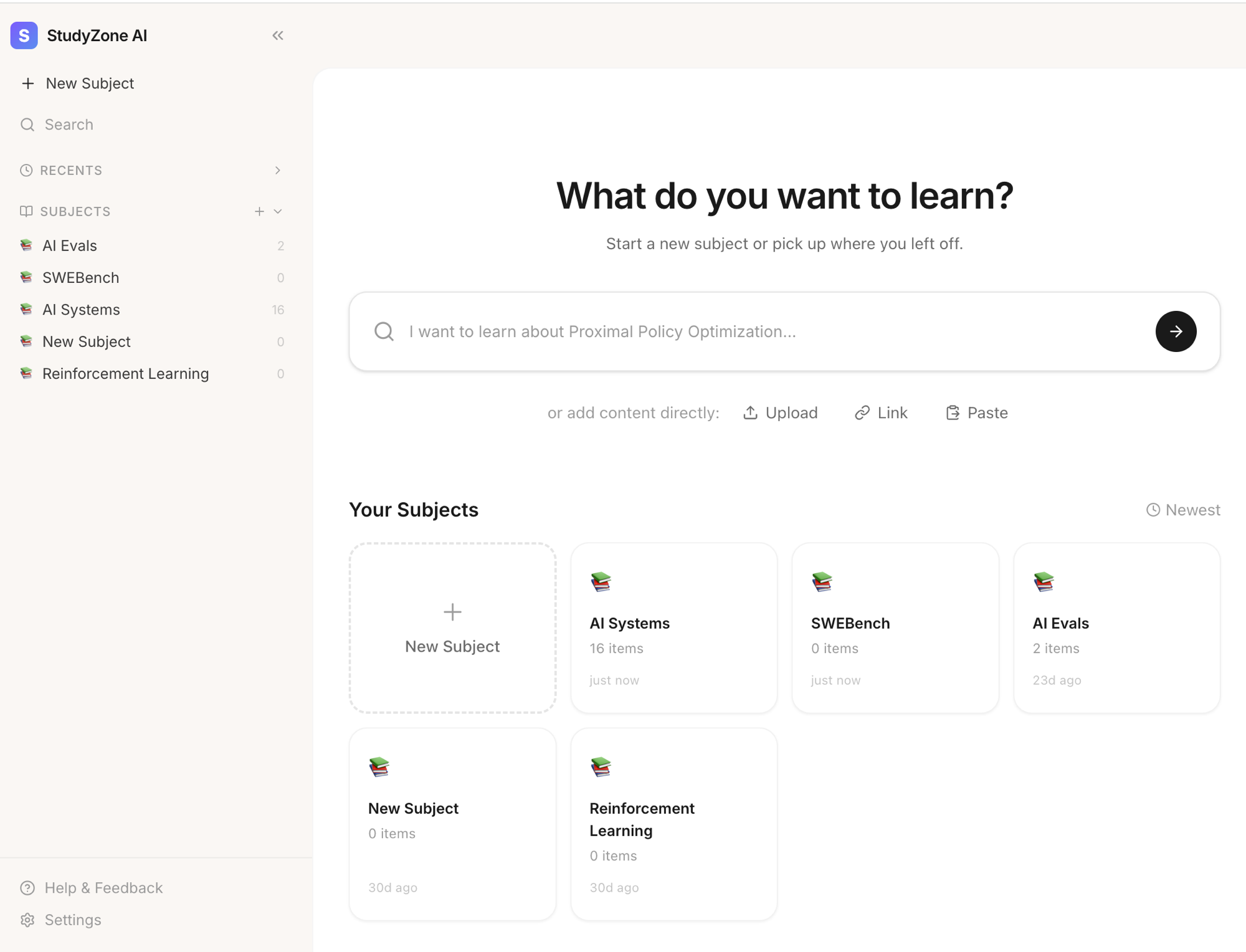
You drop in the materials you actually have to learn from. PDFs, slides, lecture notes, pasted text. The system extracts the text, chunks it, embeds it, and stores it as a searchable corpus tied to your account. Multi-format content (YouTube, PowerPoint, Word docs, audio, images) is on the roadmap so you can drag in everything from a course recording to a textbook chapter.
Lesson plans that respect prerequisites
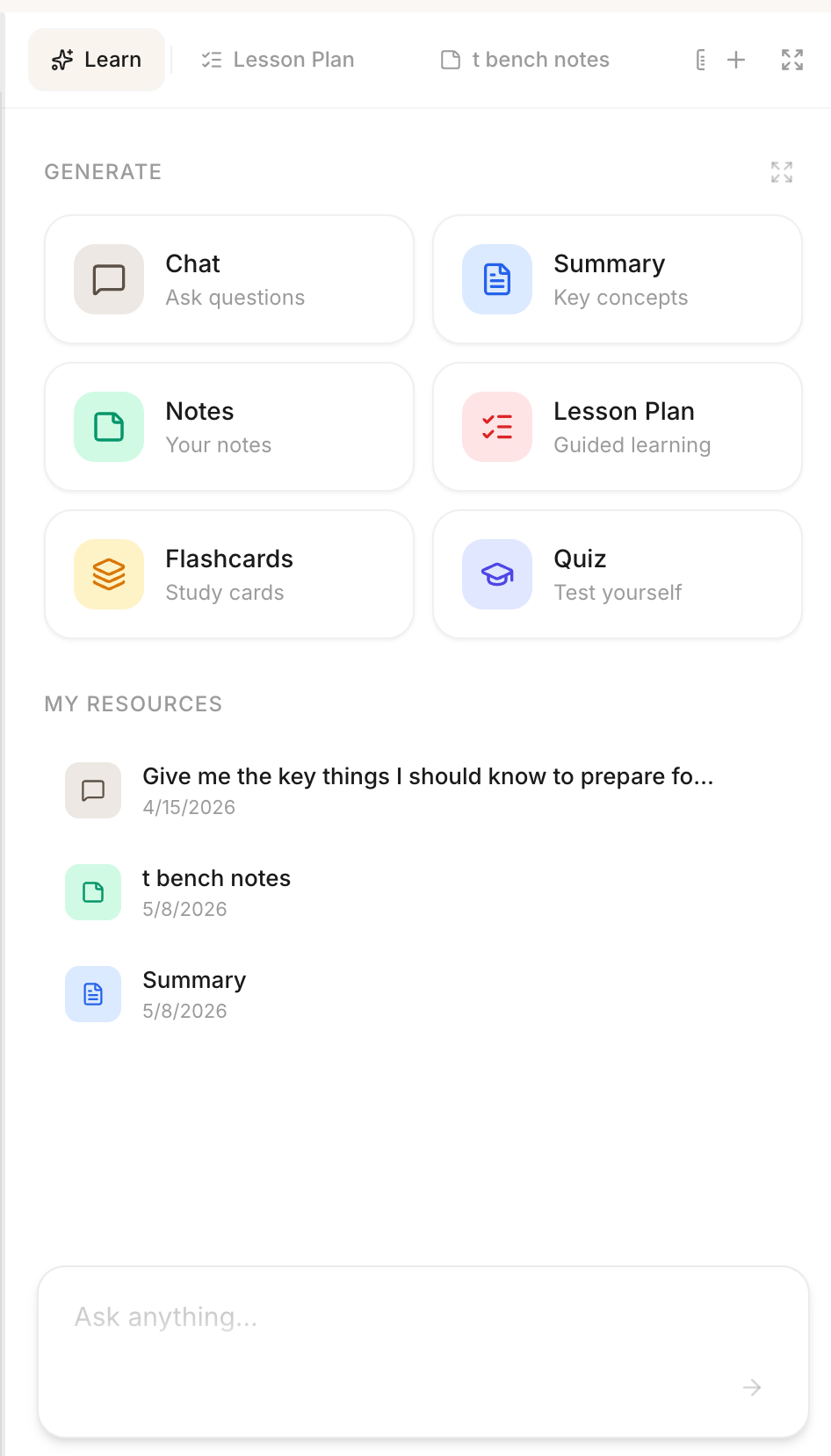
This is the part that makes StudyZone a tutor instead of a chatbot. After upload, the system identifies the concepts in the document and orders them as a directed prerequisite graph, foundational ideas first, advanced ideas later. The lesson plan exists at both the document level (one PDF) and the subject level (a whole course), so you can study a single chapter or work through a multi-week sequence.
You move through the plan one node at a time. The Generate panel is the entry point: chat, summary, notes, lesson plan, flashcards, and quizzes all sit in one place, scoped to the document you are reading. Each lesson-plan step ends with a comprehension check (a short quiz or flashcard pull from the actual content) and you only advance when the system has evidence you understood it.
Chat grounded in your materials, with citations
Every answer is RAG-powered against your own corpus and cited back to the exact passage in the source document. Responses stream, threads persist, and the rendering supports markdown plus LaTeX so equations and code show up the way they should. You are never wondering whether the model made it up because the citation is one click away.
Highlight actions and rich notes
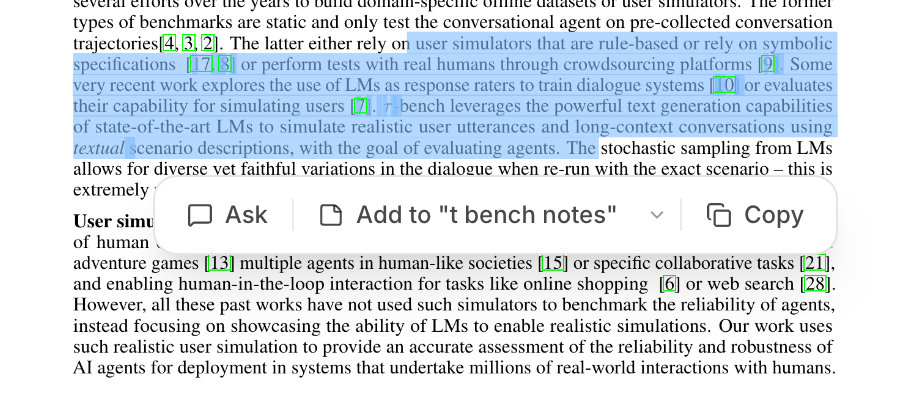
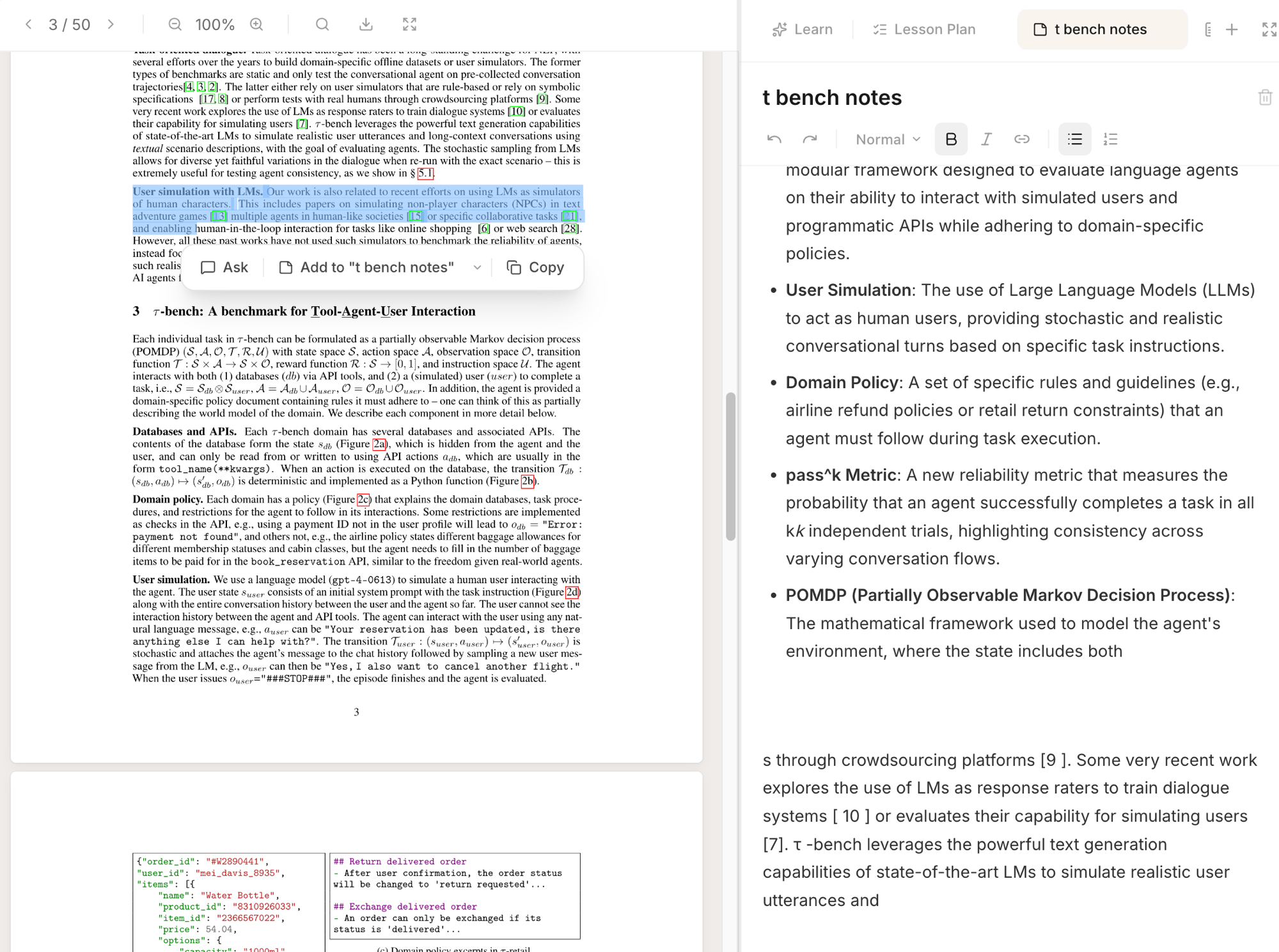
Select any text inside the PDF viewer and a small toolbar pops up with three actions: Ask sends the selection into chat as context, Add to "[note title]" pushes the quote straight into the active note, and Copy just copies it. The whole flow happens inline, you never leave the document.
Notes themselves are a Tiptap rich-text editor with multiple notes per document, auto-saving as you type. AI-generated passages sit alongside your own writing, and source-linked quotes jump back to the original passage in one click. The two screenshots below show the highlight toolbar in isolation and the full split-pane view with the notes panel open on the right.
Quizzes and flashcards from your actual content
Both are generated from the document's text rather than from generic question banks, which means they actually test what you uploaded rather than what some other student's textbook looked like. They double as the comprehension checkpoint between lesson-plan steps, so the same flashcards you study with also gate your progress through the course.
Why I'm building it
The real test of a learning tool is whether the student understands the material a week later, not whether they read a summary in three minutes. The bet here is that an AI which behaves like a tutor (sequencing, checking, adapting to the gaps) beats one that behaves like a summariser, and that this is the right shape for personal AI in education.